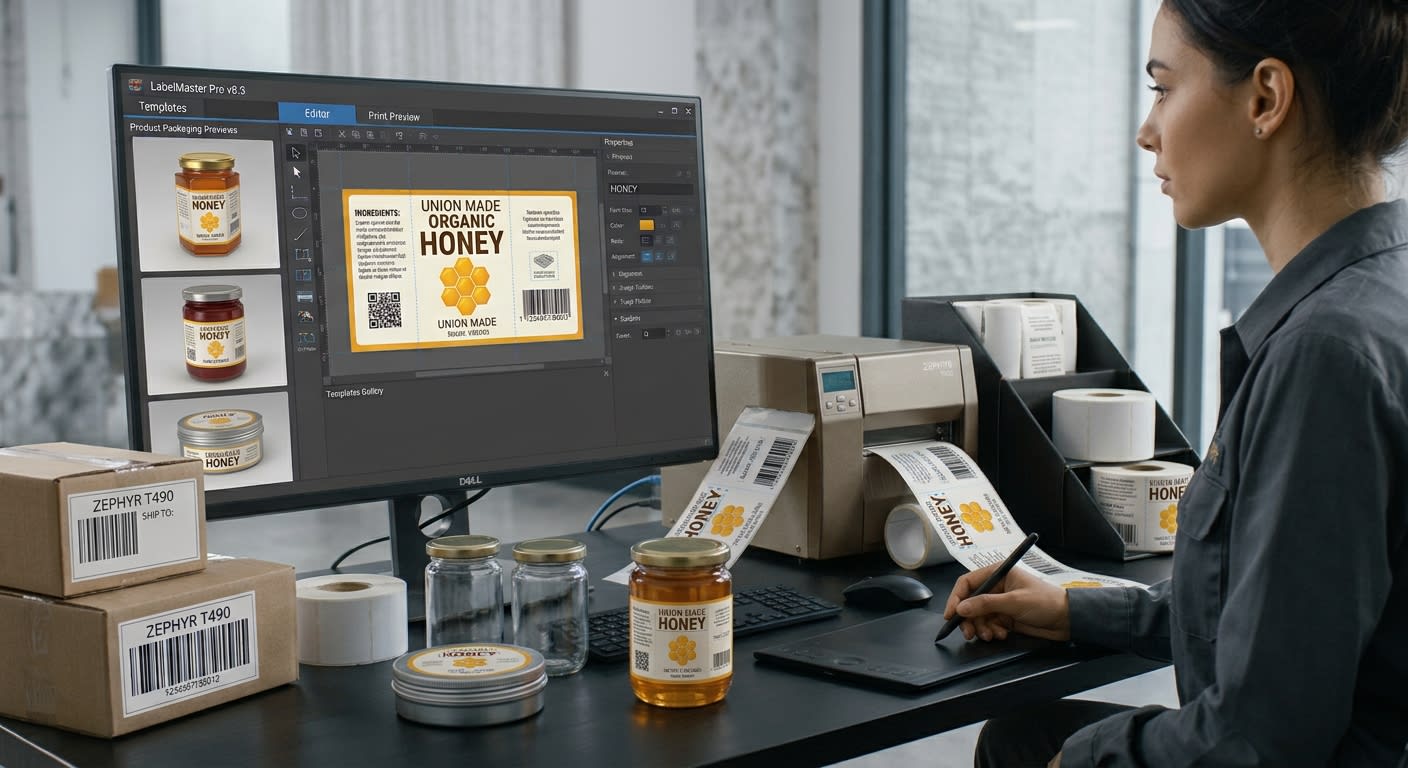
Creating product labels from scratch can take considerable time, especially for businesses that manage multiple products or update their packaging regularly. Every label needs to present essential information clearly while maintaining a professional appearance. Using label printing software can simplify this process by providing ready-made templates, flexible design tools, and reusable layouts that make label creation faster and more consistent.
Whether you run a small retail shop, an online store, or a manufacturing business, starting with an existing design can help reduce repetitive work. Instead of creating every element manually, you can customize a template to match your products, brand identity, and printing requirements.
1. Start With a Suitable Template
Templates provide a convenient foundation for product label design. They often include predefined areas for product names, descriptions, prices, logos, and barcodes, allowing you to focus on the information that needs to be included.
Choose a template that closely matches your label dimensions and intended use. A food product may require space for ingredients and quantity information, while a retail item might need a product name, price, and barcode.
Selecting a suitable starting layout reduces the number of adjustments required later. However, always review the template carefully to ensure it meets your business needs and any applicable labeling requirements.
2. Customize the Design to Match Your Brand
A template should provide flexibility rather than restrict your creativity. Adjust the colors, fonts, logo placement, and other design elements to reflect your brand identity.
Consistency is particularly important when customers encounter several products from the same business. Using similar typography, color schemes, and logo positioning can create a recognizable appearance across your product range.
Keep the design simple and readable. Decorative elements can improve visual appeal, but they should not distract from essential information. Make sure product names and other important details remain easy to identify at a glance.
3. Organize Product Information Clearly
A professional label should communicate useful information without becoming overcrowded. Before editing the design, identify the details that customers or employees need most.
Depending on the product, these details may include the product name, SKU, price, size, ingredients, manufacturer information, or barcode. Some products also require specific warnings, dates, or other information under applicable regulations.
Arrange these elements in a logical order and use appropriate text sizes. Avoid squeezing too much information into a small space. If the label becomes difficult to read, consider adjusting the layout or choosing a larger label format.
4. Use Reusable Templates for Multiple Products
One of the main advantages of starting with an existing design is the ability to reuse it. Businesses selling several variations of a product can maintain the same layout while updating specific details.
For example, a skincare business might use one template for several products, changing the product name, size, and barcode while keeping the branding consistent.
Reusable templates are also helpful when prices change or new products are introduced. Instead of rebuilding the design, employees can update the necessary fields and prepare a new print run.
Organize saved templates with clear names so team members can quickly find the correct design for each product category.
5. Add Barcodes and Other Functional Elements
Many product labels require barcodes for checkout, stock management, or product identification. When adding a barcode, make sure the selected format suits the intended use and that the encoded information is correct.
Position the barcode where it can be scanned easily. Maintain suitable dimensions, strong contrast, and enough clear space around the symbol. Avoid placing decorative graphics or text too close to it.
If you use label printing software that supports barcode generation, check the available formats and printing controls before finalizing your design. Print a sample and scan the barcode with compatible equipment to confirm that it works correctly.
6. Preview and Test Before Printing
A design that looks attractive on a computer screen may not print as expected. Differences in label dimensions, printer settings, and material can affect the final result.
Use the print preview to check alignment, spacing, text readability, and barcode placement. Then print a sample using the actual printer and label stock.
Inspect the sample for cropped text, faded printing, and misplaced elements. Make any necessary corrections before printing a large batch. This simple step can prevent wasted materials and avoidable reprints.
Conclusion
Designing product labels does not require starting with a blank page every time. Templates, reusable layouts, clear information, and flexible design tools can make the process faster and more manageable. By maintaining consistent branding, checking barcode accuracy, and testing samples before production, businesses can create professional labels while saving time and reducing printing errors.
#LabelDesign #ProductLabels #GraphicDesign

Leave a comment